Free Chrome Extension

Scam protection, right in your browser.

Right-click any suspicious text to check it instantly. Scam patterns get highlighted automatically on every page you visit. Free, private, no signup.

Coming Soon to Chrome Web Store See how it works

Chrome Web Store. Takes 5 seconds. Works immediately.

What It Does

Three layers of scam protection

1

Right-Click Scam Check

Highlight any suspicious text on any webpage — an email, a DM, a pop-up message — right-click and select "Check with ZapScam." You get a verdict in seconds: scam, suspicious, or safe, with a confidence score and explanation.

2

Passive Pattern Highlighter

Scam phrases like "your account has been suspended," "buy gift cards," and "guaranteed returns" get highlighted automatically with a subtle yellow underline. Hover for a tooltip explaining why it's a red flag. Runs locally — no data sent anywhere.

3

Webmail Protection

Works inside Gmail, Outlook, Yahoo Mail, and AOL Mail. When you open a suspicious email, scam patterns light up instantly. The extension watches for new content as you navigate — no page refresh needed.

How It Works

Set up in 5 seconds. Works immediately.

No account, no configuration, no learning curve.

1

Install from Chrome Web Store

Click "Add to Chrome" — the extension installs instantly. You'll see the ZapScam "Z" icon appear in your browser toolbar. That's it. You're protected.
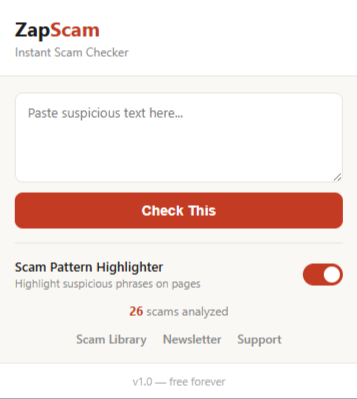
ZapScam popup UI in Chrome toolbar
2

Highlight text, right-click, check

See something suspicious? Select the text, right-click, and choose "Check with ZapScam." A floating panel appears on the page with the verdict — no new tabs, no popups, no interruption.
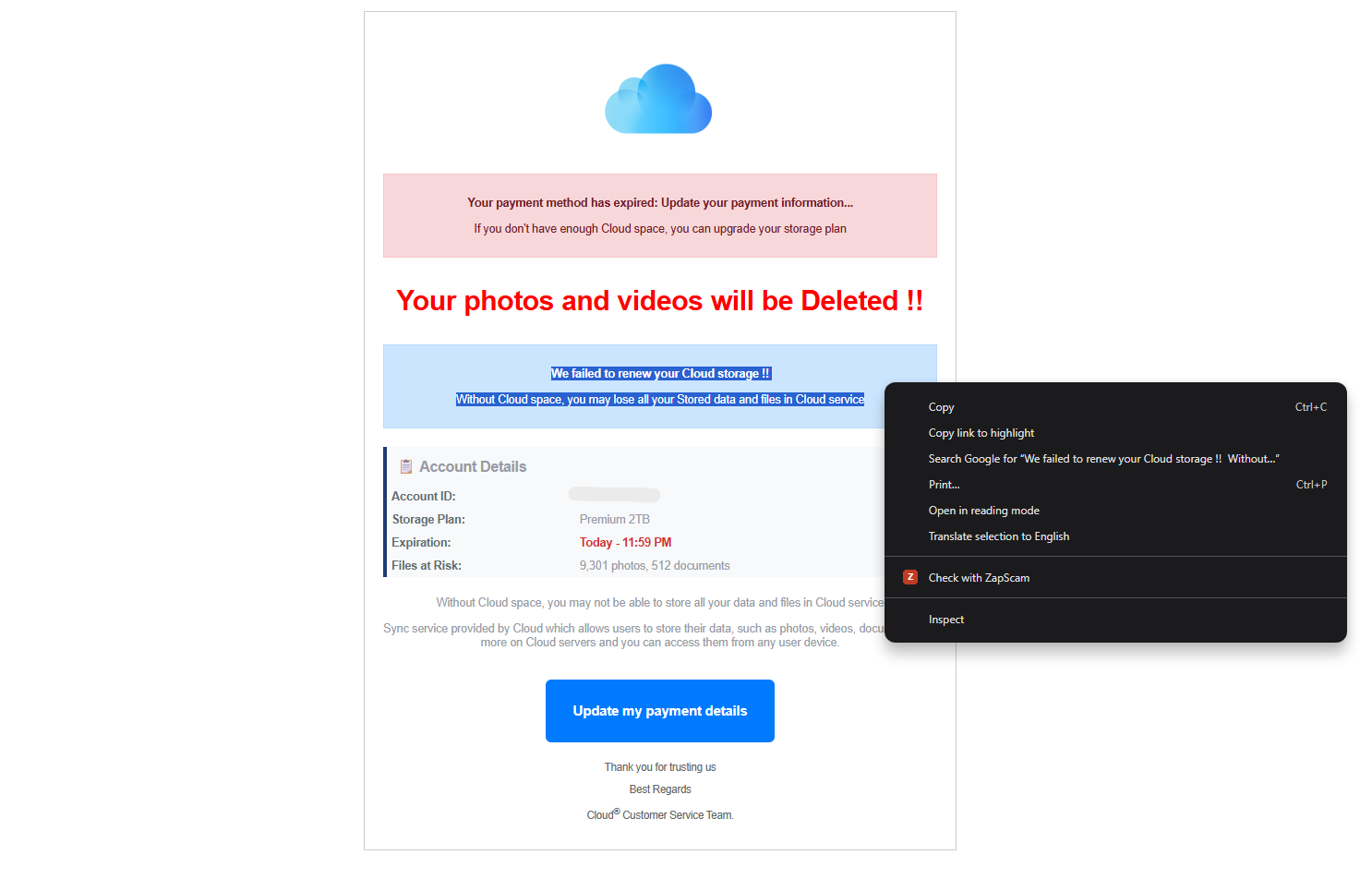
Right-click context menu showing Check with ZapScam
3

Get an instant verdict

The floating panel shows: SCAM, SAFE, or UNCERTAIN with a confidence percentage, a plain-English explanation, and a link to the relevant scam type in our library. Auto-dismisses after 10 seconds.
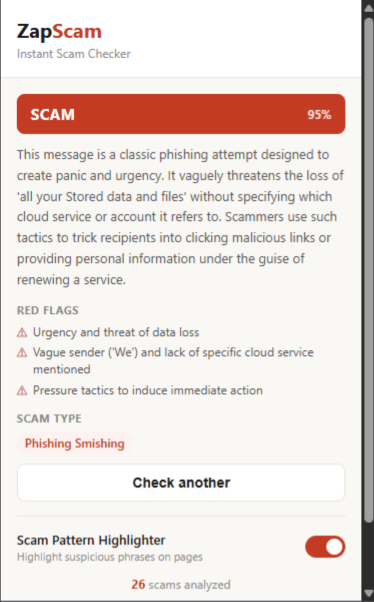
ZapScam floating verdict panel showing scam result
4

Scam phrases highlighted automatically

As you browse, the passive highlighter marks scam language with a subtle yellow underline: urgency tactics, fake domain names, payment requests, too-good-to-be-true offers. Hover any highlight for a tooltip explaining the red flag. The badge icon shows how many patterns were detected on the current page.
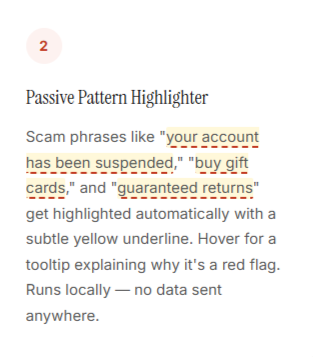
Scam analysis result with red flags highlighted

What we collect (almost nothing)

Right-click checks

When you check text, it's sent to check.zapscam.com for AI analysis. Personal info (emails, phone numbers, SSNs) is stripped before logging. The analysis is anonymous.

Passive highlighter

Runs 100% on your device. Zero data leaves your browser. It's pure pattern matching — no API calls, no tracking, no analytics. You can toggle it off anytime.

No tracking, ever

No browsing history collected. No cookies. No analytics scripts. No advertising. We don't know what sites you visit. Full privacy policy

Built for performance and privacy

Manifest Version
Manifest V3 — Chrome's latest extension standard
Permissions
activeTab, contextMenus, storage, scripting. No broad host access.
API Endpoint
check.zapscam.com (Cloudflare Worker). No API keys in the extension.
Passive Highlighter
29 regex patterns, MutationObserver for dynamic content, debounced scanning. Zero network calls.
Webmail Support
Gmail, Outlook Web, Yahoo Mail, AOL Mail. Generic fallback for any webmail.
Size
Under 50KB total. No bundler, no frameworks, no dependencies.
FAQ

Common questions

Yes, completely free. No trial, no premium tier, no ads. ZapScam is community-supported through voluntary donations.
No. The passive highlighter uses lightweight regex pattern matching — no network calls, no heavy computation. The right-click checker only runs when you use it. Total extension size is under 50KB.
Yes. The extension uses a MutationObserver to detect when you open an email in Gmail, Outlook, Yahoo Mail, or AOL Mail. Scam patterns in the email body get highlighted automatically within a second.
Yes. Click the ZapScam icon in your toolbar to open the popup, then toggle "Scam Pattern Highlighter" off. The right-click checker still works independently.
The passive highlighter collects zero data — it runs entirely on your device. When you use the right-click checker, the selected text is sent to our API for analysis. We strip personal info (emails, phone numbers) before logging. No browsing history, cookies, or tracking of any kind.
Not yet, but it's on the roadmap. The extension is built with standard web APIs so porting to Firefox will be straightforward. Follow our newsletter for updates.

Add ZapScam to Chrome

Free. Private. Works in 5 seconds. No signup required.

Coming Soon to Chrome Web Store